
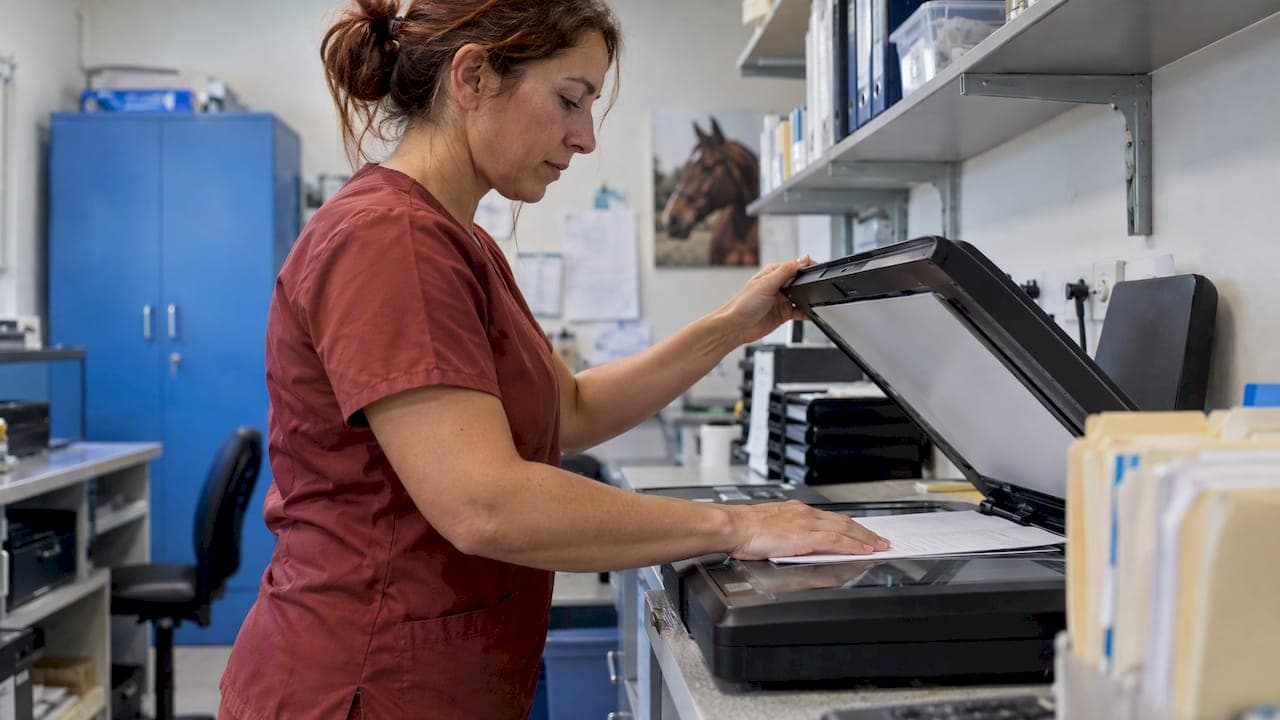
Scanning a horse's vet report takes two minutes. Making the scan useful a year later takes a system. Capture every page at readable resolution, name the file so it sorts by horse and date, and file it against that horse's record, not in a shared folder or a camera roll. Then record the two or three findings that matter in a place the whole team can see.
This guide covers how to scan and store vet reports properly, what to do with different types (pre-purchase exams, ultrasound reports, radiograph reports, lameness workups), and how to stop a pile of PDFs turning into a dead archive.
TL;DR
- Scan every page, flat and well lit, at a resolution where handwriting and measurements stay legible. Keep imaging files (radiographs, ultrasound) separately from the written report.
- Name each file with horse, date, type and vet, for example
Banjo_2026-10-14_PPE_DrSmith. - A pre-purchase report is a snapshot of the horse on the day, not a guarantee, so file it with its date and context.
- Pull the key findings into the horse's record as a short summary, so the team does not have to open a PDF to know about a core lesion or a restriction.
- Ask your vet whether their portal lets you download your own copies of imaging and reports.
Table of Contents
- Why a scan alone is not enough
- How to scan a vet report properly
- Different reports, different handling
- Turn the scan into a record
- Privacy, access and who sees what
- Emergencies: the real test of your archive
- Our perspective
- Keeping reports with the horse in EquiBETS
- A simple weekly routine
- Common mistakes
- FAQ
- Sources
Why a scan alone is not enough
Most yards already scan. The reports sit in email attachments, phone photos, a shared drive and a ring binder in the tack room. The problem shows up at the worst moment: a horse is lame at 7 pm on a Sunday, the on-call vet asks about the last scan of the right front, and nobody can find it.
A useful archive answers three questions quickly:
- What was found, and when? The date and the finding, not just the document.
- What was recommended? Rest period, re-scan date, shoeing change, medication.
- Who needs to know? Rider, trainer, farrier, owner, the next vet.
A scan answers none of these on its own. A scan filed against the horse, with a short note, answers all three. That is the habit worth building.
How to scan a vet report properly
Capture
You do not need a flatbed scanner. A phone scanning app is fine if you do it carefully.
- Lay the page flat on a plain, contrasting surface in even light. Avoid shadows from your phone or hand.
- Capture every page, including the back of double-sided sheets and the signature page. Vets' disclaimers and conditions often sit on the last page.
- Use a resolution where small print, decimal measurements and handwritten margin notes are readable when zoomed. Check one zoomed-in measurement before you bin the paper.
- Save as PDF, one file per report, pages in order. Avoid a folder of loose JPEGs.
Check what you captured
Before filing, spend ten seconds on each of these:
- Is the horse's name, microchip or passport number visible?
- Is the vet's name and practice on the page?
- Is the date of examination clear (not just the date of the invoice)?
- Are the measurements, grades and diagnoses readable?
If any answer is no, rescan. A blurry lesion measurement is worse than none, because someone will guess.
Name the file
Use one naming pattern across the whole yard and never deviate. A good pattern is:
HorseName_YYYY-MM-DD_ReportType_Vet
For example: Banjo_2026-10-14_Ultrasound-RF-SDFT_DrSmith. Putting the date in year-month-day order means files sort correctly. Including the limb or body area saves opening three files to find the right one.
Different reports, different handling
| Report type | What to keep | What to pull into the record |
|---|---|---|
| Pre-purchase exam | Full certificate, every page, plus any imaging taken | Date, vet, overall findings, any noted abnormalities, any imaging taken |
| Ultrasound (tendon, ligament) | Written report plus the images or measurements where you can get them | Structure, limb, lesion size, recommended re-scan date |
| Radiograph report | Written report; request the image files separately | Joint or bone, grade of change, the vet's recommendation |
| Lameness workup | Report plus any objective gait data | Limbs involved, nerve block results, diagnosis, plan |
| Dental, vaccination, routine | Invoice-style reports | Due dates for the next visit |
| Scan in foal (pregnancy check) | Report with date | Scan date, result, expected foaling window |
Pre-purchase examination reports
These need the most care because owners misread them most often. A report from a standard five-stage examination (external examination, walk and trot in-hand, exercise, rest, second trot up) records what the vet found at that moment. According to the BEVA/RCVS joint guidance, the certificate is not a guarantee of the horse's future suitability for a particular purpose, and it is not transferable to another purchaser. That guidance is British, but the principle travels: in Australia, Equine Veterinarians Australia and the Australian Veterinary Association publish a vendor and purchaser statement for pre-purchase examinations, referenced in the Merck Veterinary Manual's pre-purchase overview.
When you file one:
- Keep the whole document, including conditions and any statement signed by vendor or purchaser.
- Add a one-line note in the record: "Pre-purchase exam, [date], [vet], no significant findings" or the specific findings.
- If you bought the horse, treat the exam as the baseline. A later lameness can be compared against it, with the understanding that it describes one day only.
- If you did not buy the horse, you generally do not need to keep it in the yard's system at all. Check your own record-keeping obligations with your vet or advisor.
Ultrasound and imaging
A written report is a vet's interpretation. The images are the evidence. Both matter for rehab, because the re-scan will be compared against the original.
Large imaging files often do not arrive by email. According to the AAEP's emergency coverage toolkit, imaging from emergency and referral centres frequently needs a specific request rather than arriving automatically. So ask for the files at the appointment, not three months later.
It also pays to understand what the portal does. Vets note that client portals are an extension of the practice's own software, and owners should check whether the portal integrates with the imaging system so they can download and keep their own copies of radiographs or ultrasound reports. A quick question to your vet's front desk settles it.
Reports that include gait or movement data
Some lameness workups now include objective data from body-mounted sensors or video analysis. Research from 2024 found that markerless and sensor-based systems gave comparable measures of movement asymmetry. That is promising, but the same literature cautions that the numbers need reading alongside a clinical exam. A study of 367 clinically lame horses found compensatory lameness, where a horse shows asymmetry in more than one limb, is common and can be hard to untangle.
For filing, this means: keep the data with the clinical report that interpreted it, and never store a lone asymmetry number without the vet's reading beside it. If you want to go deeper on how clinicians read these figures, see our piece on clinician limits for equine asymmetry and our guide to equine gait analysis.
Turn the scan into a record
This is the step most yards skip, and the one that matters most.
A PDF is a document. A record is something you can search, compare and act on. After scanning, write a summary of no more than three lines in the horse's record:
- Finding: "Mild core lesion, right front SDFT, 7 mm."
- Plan: "Box rest with hand walking, re-scan in 8 weeks."
- Flag: "No ridden work above walk until cleared by vet."
The numbers above are an illustration of the format, not clinical advice. Your vet sets the actual plan.
The flag is the important one. If a restriction lives only inside a PDF, a casual rider or a new groom will never see it. If it lives in the horse's profile, it is visible every time someone opens that horse.
For a fuller walk-through of structuring medical histories, our guide to equine medical records management covers fields, permissions and audit trails.
Photos belong in the record too
Wound photos, swelling, hoof changes and rehab progress are all part of the clinical picture. Linking them to the same plan as the report keeps a story together: this is the injury, this is the plan, this is how it looked at week two. Our article on linking photos to rehab plans shows a secure workflow for professional yards.
Privacy, access and who sees what
Vet reports contain owner details, sometimes financial information, and sometimes sensitive conclusions about a horse's value. Keep access deliberate:
- Give vets the access they need for care and nothing more. Our piece on fast routes for vets to access horse data covers options that stay secure.
- Let owners see their own horse's reports, and only theirs.
- Remove access when staff leave or a horse is sold.
- Do not send reports through personal messaging apps where you cannot control who forwards them on.
In Australia, privacy obligations can vary by business size and state, so if you are unsure what applies to your yard's client information, ask your accountant or the Office of the Australian Information Commissioner rather than guessing.
Emergencies: the real test of your archive
Imagine the worst case. A horse colics overnight, the on-call vet is on the way, and you need weight, vaccination status, medications, previous surgery and allergies. The AAEP toolkit notes that giving responders immediate access to a horse's medical history and streamlining information collection from owners and trainers is central to efficient after-hours care.
So test your system. Pick a horse at random and see how long it takes someone other than you to find the last vet report, the current medications and the emergency contact. If it takes more than a couple of minutes, fix the filing, not the person. We cover the contacts side in every field your emergency contacts sheet needs and the plan side in what a digital emergency plan needs.
Our perspective
We build for professional yards, and the pattern we see is consistent: the information exists, but it is scattered. Reports live with the vet, photos live on the groom's phone, notes live in someone's head. Scanning is a good first step, but it moves paper into a different pile.

We think a vet report should do three things once it enters the yard. It should attach to the right horse. It should leave behind a short, plain-language summary that anyone on the team can read. And it should be reachable from a phone in a paddock with patchy signal, which is why we designed EquiBETS to work offline.
We are also cautious about automation. Movement analysis and AI can show patterns across weeks of data that no one would spot by eye, but compensatory patterns and clinical context mean the numbers support a vet's judgement, they do not replace it. We would rather help a yard keep clean, well-labelled records that a vet can read in thirty seconds than promise a tool that interprets reports for you.
— isaac
Keeping reports with the horse in EquiBETS
If your yard wants one workspace for horse records, owner updates, team notes and emergency details, EquiBETS Complete is a single plan at 9.99 AUD per month. It includes all features and modules, with unlimited horses and team members, and you can try it free before you subscribe. Details are on the EquiBETS Complete pricing page.
For the day-to-day side, such as keeping owners informed without phone calls, see our article on offline horse management software for professional yards.
A simple weekly routine
Systems fail when they depend on memory. Pick one person and one slot.
- At the appointment: ask the vet for the written report, imaging files and any follow-up dates before they leave.
- Same day: scan or save the report, name it using the yard pattern, and file it against the horse.
- Same day: write the three-line summary and set any flag or re-check date.
- Weekly: the stable manager skims new reports, confirms flags are visible and that owners have been updated.
- Quarterly: pick two horses and run the emergency test above.
The whole process adds perhaps five minutes per report. It saves far more than that the first time someone needs the history in a hurry.
Common mistakes
- Filing by invoice date. The exam date is what matters clinically.
- Keeping only the written report. Without images, a re-scan comparison is weaker.
- Treating a pre-purchase certificate as a warranty. It describes one day.
- Storing one giant folder. Sort by horse, not by year.
- Leaving the flag in the PDF. If it is not in the profile, it will be missed.
- Throwing away the paper too soon. Check the scan on screen first.
FAQ
What is the best way to scan a vet report for my horse?
Lay each page flat in even light, capture every page including the last one, and save a single PDF per report. Zoom in to check measurements and handwriting are readable before discarding the paper. Then name it with the horse, date, report type and vet.
Can I keep a pre-purchase vet report after I buy the horse?
Yes, and it is worth keeping as a baseline. Remember it is a snapshot of the horse on the day and, under the BEVA/RCVS guidance, not a guarantee of future suitability. File it with its date and note the main findings in the horse's record.
How do I get ultrasound or radiograph images, not just the report?
Ask your vet at the appointment and ask whether their portal lets you download your own copies. Some portals do not integrate fully with imaging software, and large files may need a manual request. Asking early avoids a delay when you need the images for a second opinion.
Who should be able to see scanned vet reports at a yard?
The vet treating the horse, the stable manager, the people directly responsible for care, and the horse's owner. Keep access limited and review it when staff or horses leave. For legal privacy questions, speak to your adviser.
Can software read my vet report for me?
Software can store, organise and surface your records, and movement analysis can show trends in gait data. Interpreting a diagnosis is a job for your vet, particularly because compensatory lameness complicates the picture. Use the tools to keep information clear and share it with your vet.
Sources
- BEVA/RCVS pre-purchase examination guidance notes
- Prepurchase Examination of Horses, Merck Veterinary Manual
- AAEP Emergency Coverage 2.0 toolkit
- Introduction to the rVetLink Portal
- Objective movement asymmetry: markerless vs sensor-based systems (PMC)
- Upper body movement analysis of multiple limb asymmetry in 367 clinically lame horses (PubMed)