
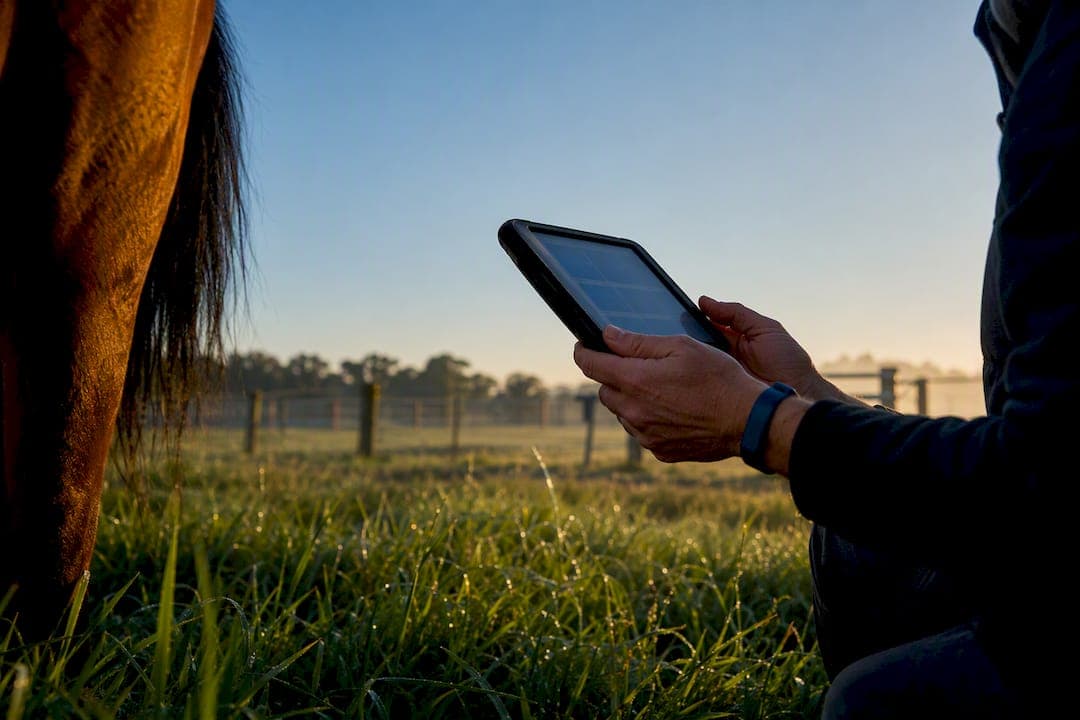
"Rural stable connectivity" in this context means offline-capable apps and workflows, not rural broadband. The fix is an offline-first equine management platform, one with local queuing, visible sync status and cached emergency records, so a dead mobile signal never stops the work. EquiBETS builds around this exact problem, giving yards a mobile app, owner portals and emergency plans that all function without a live connection.
TL;DR:
- Offline-first apps must clearly display sync status, including pending uploads and conflict resolution, to prevent duplicate data and ensure reliable record-keeping.
- Local queuing, GPS caching, and bandwidth-smart media handling are essential technical features that enable data to sync automatically once connectivity is available.
- A consistent daily workflow, including scheduled syncs and end-of-day checks, is crucial to maintain accurate and complete records, especially during emergency situations.
- Piloting the platform for one week focusing on sync success, incident documentation, and user trust helps identify issues before full implementation.
- Budgeting should prioritize device reliability and staff training over hardware infrastructure, as offline-first tools reduce ongoing internet costs and simplify deployment.
Table of Contents
- What offline-first actually means for stable operations
- Must-have technical features for reliable rural stable connectivity
- How to set up daily workflows that keep sync reliable
- Onboarding, training and KPIs to measure success
- Cost considerations and budgeting for connectivity solutions in remote stables
- What EquiBETS gets right about offline-first stable management
- Start your EquiBETS trial for offline-ready yard management
- Sources
What offline-first actually means for stable operations
Offline-first is not "works badly without signal." It means the app runs at full capability with no connection at all, then syncs the moment it finds one. Everything you enter, a treatment note, a feed change, a foaling record, gets written to a local store on the device first. From there it queues as a pending write and moves to the server in the background once you're back in range.
Compare that with cloud-only tools, the kind built for suburban clinics with fibre in the wall. Out at a stable ten minutes past the last phone tower, those apps stall mid-form, drop photos, or worse, let staff think a record saved when it didn't. Field-focused product research backs this up directly: offline-capable apps store data locally and sync later specifically to avoid lost records in low-connectivity operations, whether that's a cropping paddock or a stable block behind a ridge.
Good offline-first software makes its own state visible. You should be able to glance at the screen and know exactly what's waiting:
- A queue count showing how many entries haven't synced yet
- A per-item status icon (pending, syncing, failed, synced)
- A manual "upload now" trigger for when you spot a signal
- Placeholder thumbnails for photos still waiting to transfer
Pro Tip: If your current app doesn't show a queue count anywhere on screen, treat that as a red flag, not a minor gap. Staff without visibility into pending syncs tend to re-enter data "just in case," which is exactly the duplicate-record mess offline-first design is meant to prevent.
Picture a colic case at 6am, out past the far paddocks where the app shows zero bars. The handler logs vitals, medication given and a photo of the horse straight into the app. None of it needs signal to save. By the time the vet arrives at the yard office twenty minutes later, that record has already synced and sits waiting on their screen, timestamped to the minute it happened, not the minute someone remembered to type it up.
Must-have technical features for reliable rural stable connectivity
Not every app calling itself "offline-capable" behaves the same way in a paddock with no bars. A few technical features separate the ones that hold up from the ones that quietly lose data.
Local queuing with visible sync status. Every write, forms, treatment logs, feed adjustments, needs to land in local storage first and queue for upload. Offline-first mobile design treats background synchronisation and queued operations as core architecture, not an afterthought bolted onto a cloud app.
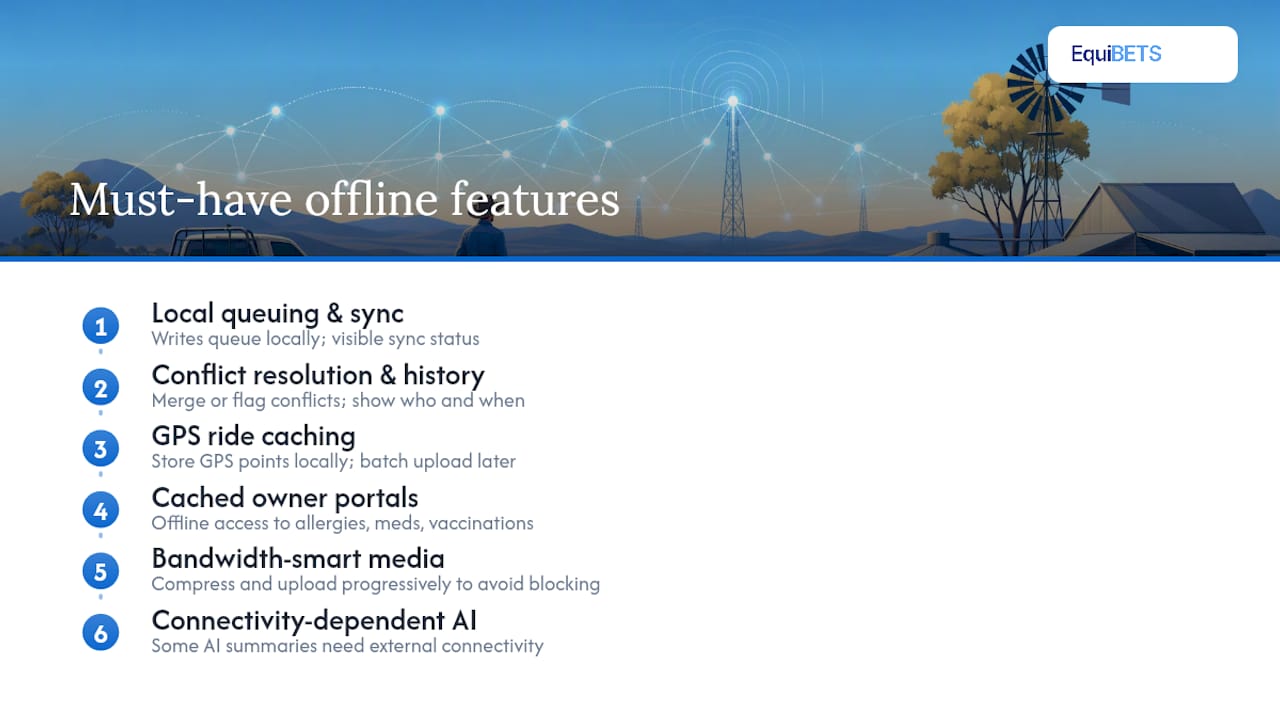
Conflict resolution and edit history. Two staff editing the same horse's record while both offline is common in a busy yard, one logging feed, another logging a vet visit. The platform needs a clear way to merge or flag those conflicting edits rather than silently overwriting one with the other, and a visible history showing who changed what and when.
GPS caching for rides. Tracking a ride out where reception drops in and out shouldn't mean losing the route. GPS points should log locally and upload as a batch once the device reconnects, with analytics built to tolerate gaps rather than break on them.
Cached owner portals and emergency plans. Vets and first responders need access to allergies, medications and vaccination history even when the yard's only connection is a weak 3G bar in one corner of the car park. This is where a digital horse emergency plan tested for offline access earns its keep.
Bandwidth-smart media handling. Photos and videos should compress and upload progressively rather than all at once, so a single large file doesn't block twenty smaller records behind it in the queue.
Worth noting: not every feature can run offline. StableTrack's own documentation points out that AI-generated clinical summaries still need connectivity to call external processing, even while the underlying notes save locally. Ask any vendor which features are genuinely offline and which just look that way in a demo with full signal.
How to set up daily workflows that keep sync reliable
Getting the technology right solves half the problem. The other half is building habits around it so nothing falls through the gaps between paddock and office.
- Sync at fixed points, not randomly. Handover between shifts, arrival at the yard office, and overnight while the device sits on Wi-Fi are the three moments that matter most. Scheduled syncs beat "whenever it happens to work," because staff stop wondering if their entries went through.
- Standardise the photo workflow. One photo per event, taken and tagged immediately, avoids the classic problem of three different staff members re-uploading the same wound three times because nobody was sure the first one saved.
- Set up the emergency-access drill before you need it. Print or laminate a QR code linking to the cached emergency contacts sheet at the stable entrance and vet bay, and confirm it opens without a login prompt on a phone with no signal.
- Define who can edit what offline. Junior staff logging feed and turnout is different from a manager amending medical records. Set permission tiers so conflicting edits are less likely in the first place.
- Run an end-of-day sync check. Five minutes before knock-off, confirm the queue count sits at zero. If it doesn't, that's the moment to troubleshoot, not the next morning when someone's already asking about a horse's overnight notes.
| Daily checkpoint | What to verify | Who's responsible |
|---|---|---|
| Shift handover | Queue count and any failed uploads | Outgoing staff member |
| Yard office arrival | Wi-Fi connects, backlog clears | Any staff on site |
| End of day | Zero pending items before logout | Yard manager |
| Vet visit | Emergency page loads without login | Attending vet or handler |
Onboarding, training and KPIs to measure success
Rolling out an offline-first platform works best as a short pilot, not a big-bang switch for the whole yard on day one.
Start with a one-week trial covering a single block or team. Set up devices, confirm permission tiers, run through sync training, and stage a genuine "no signal" test of the emergency plan before trusting it in a real callout.
Track a small set of numbers across that week:
- Sync success rate — what percentage of queued items clear without manual intervention
- Offline write count — how many records get created with no connection, a rough measure of how often the feature actually earns its place
- Incident documentation completeness — whether emergency records capture every required field, not just some of them
- Time to vet access — how quickly a visiting vet can pull up a horse's history from a cold start
If sync success sits below expectations, the usual culprits are large unoptimised photos clogging the queue or a device left in airplane mode overnight. Escalate persistent failures to whoever manages the platform account rather than letting staff quietly stop trusting the app, because that's how yards drift back to paper.
Cost considerations and budgeting for connectivity solutions in remote stables
Budgeting for offline-first tools looks different from budgeting for internet infrastructure, and that difference matters when you're setting next year's software line item.
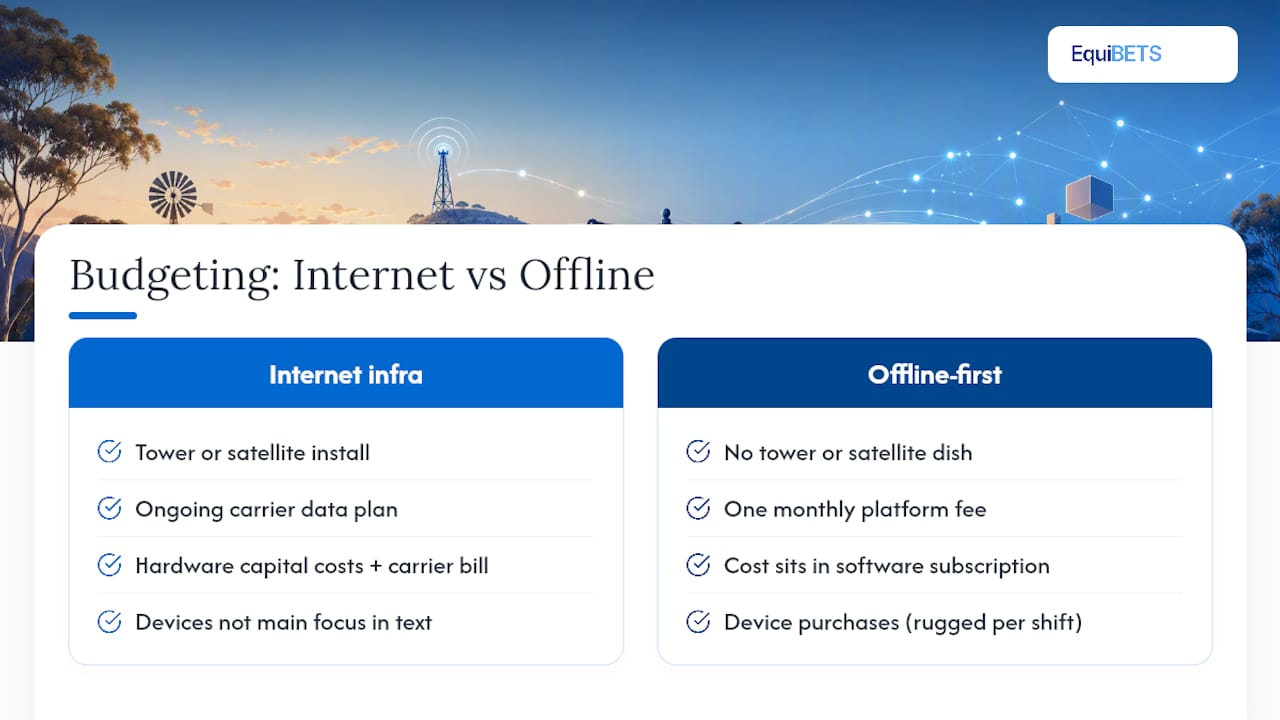
There's no tower to install, no satellite dish, no ongoing data plan to negotiate. The cost sits entirely in the software subscription and the devices staff already carry. That makes the maths simpler than farm connectivity projects: one monthly platform fee covering the whole team, rather than hardware capital costs plus a recurring carrier bill.
Where yards do spend more than expected is on devices. A phone that can't hold charge past lunch or a tablet with a cracked screen sitting unused in a drawer becomes a hidden cost, because staff default back to paper notebooks the moment the tech feels unreliable. Budget for a couple of rugged, weatherproofed devices per shift team rather than relying on personal phones alone, particularly in yards running through wet Australian winters where a device might get rained on daily.
The other line item worth planning for is training time, not licence fees. A platform that queues writes locally and syncs cleanly doesn't need much ongoing support once staff trust it, but the first fortnight of habit-building (checking queue counts, running the end-of-day sync check) is where most of the real cost of adoption sits. Factor that into your pilot timeline rather than treating it as free.
What EquiBETS gets right about offline-first stable management
Most platforms treat offline access as a fallback mode. EquiBETS treats it as the default: the mobile app, owner portals, emergency plans and GPS ride analytics all work first, sync second. That ordering matters more than any single feature list, because it decides what happens the day your signal drops and a horse needs attention regardless. Read the offline horse forms guide or the GPS tracking breakdown for the practical detail behind the claims here.
— isaac
Start your EquiBETS trial for offline-ready yard management
EquiBETS is built for the exact moment your app needs to work with zero bars, not the moment it's easiest to demo in an office with full Wi-Fi. Every record, form and emergency note queues locally and syncs the second connectivity returns, so a quiet paddock with no signal never becomes a gap in a horse's medical history.

Start with the EquiBETS platform on a free trial and run it through the one-week pilot checklist above on a single team before rolling it out yard-wide. If you're managing a larger operation with multiple staff and syndicate reporting needs, the Stable Manager plan bundles owner portals and emergency access into one workspace. Check pricing once you're ready to move past the trial, and test the emergency-plan drill on day one, not week three, so you know exactly what a vet sees when your yard has no signal at all.
Sources
- Why Offline-Capable Mobile Apps Are Still Critical in Agriculture - Qaltivate
- Myca
- Mobile & Offline Equine Vet Software | StableTrack