
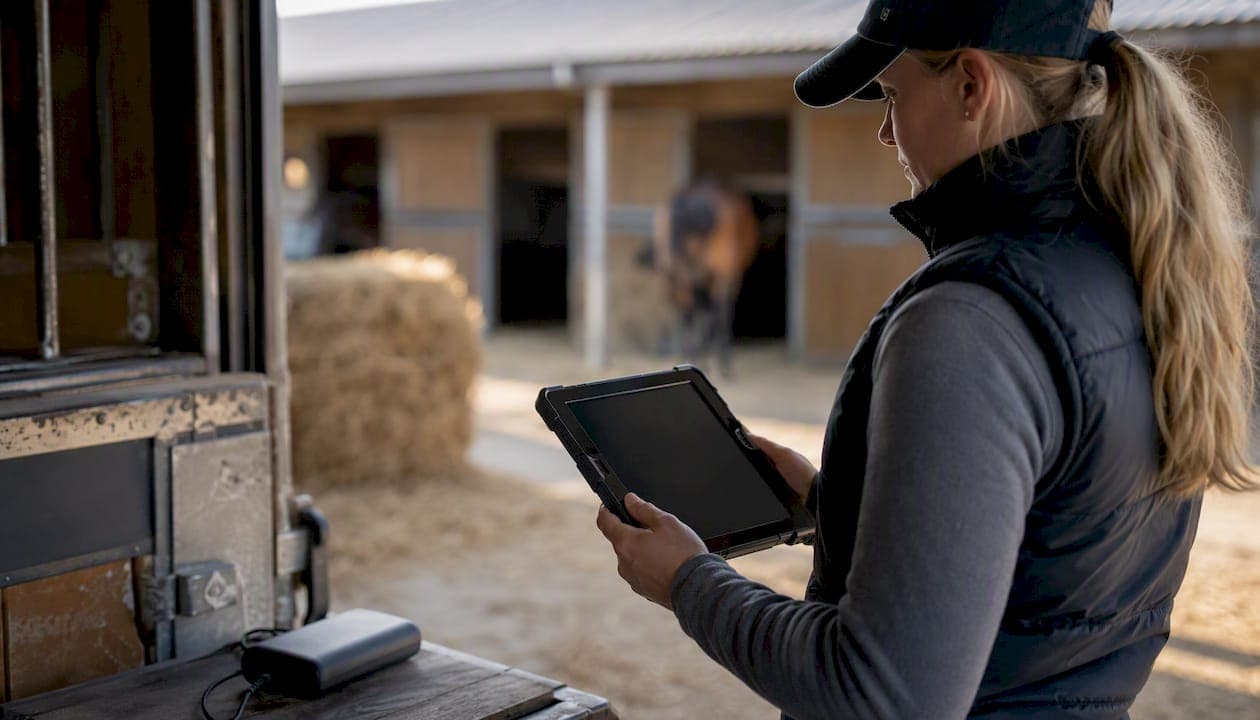
An offline-first mobile forms workflow is the most reliable way to capture horse records in professional yards where internet coverage drops out. Before you read further: the immediate next step is to run a pilot on one barn or paddock area using a platform that provides local storage, automatic background sync with conflict resolution, and a full audit trail. Those three capabilities are what separate a genuinely field-ready solution from an app that simply caches a few recent screens.
Three things to verify before committing to any platform:
- Local storage: the full working dataset must be available offline, not just recently viewed records.
- Automatic background sync with conflict resolution: the app detects connectivity and reconciles data without staff having to remember to press "sync."
- Audit trail and timestamps: every entry carries a device stamp, user ID, and timestamp — critical for incident reports and biosecurity tracing.
Pro Tip: Run three pilot metrics from day one: data completeness rate (are all mandatory fields filled?), time saved per form versus paper, and sync success rate after each connectivity gap. Those numbers give you the business case to scale.
Start your pilot today with the Equibets horse management platform.
Key takeaways
Offline-first mobile forms with local storage, automatic sync, and an immutable audit trail are the minimum viable standard for professional horse yards operating in areas with unreliable connectivity.
| Point | Details |
|---|---|
| Offline-first is non-negotiable | Choose a platform that stores the full working dataset locally, not just cached recent records. |
| Pilot before full rollout | Run a 2–4 week pilot on one barn, measuring data completeness, time per form, and sync success. |
| Assign a change manager | A designated lead user who provides daily feedback is the decisive factor in staff adoption. |
| Prepare your hardware | Rugged cases, high-brightness screens, and spare power banks are as important as the software in Australian yard conditions. |
| Equibets for Australian yards | Equibets provides offline mobile access, Stable Manager, owner portals, and a guided pilot option for professional yards. |
Table of Contents
- Which horse records should you capture offline, and when?
- What technical capabilities does a reliable offline forms solution need?
- How to roll out offline forms without disrupting your yard
- Which devices and settings work best in Australian yards?
- Data security, compliance, and sharing records in Australian yards
- How does Equibets handle offline forms for professional yards?
- The cultural shift from paper to offline forms matters more than the technology
- Equibets offers a free trial and guided pilot for Australian yards
- Sources
Which horse records should you capture offline, and when?
Professional yards generate a surprising volume of linked records from a single visit. A vet call at a remote paddock might produce a SOAP note, a medication entry, a GPS-stamped photo, and an owner notification — all before the vet reaches mobile coverage again. Capturing those records accurately at the point of care, rather than reconstructing them later from memory, is where offline documentation earns its keep.
The core form types yards need to support offline include:
- SOAP notes and clinical observations
- Vaccination and medication logs (dose, batch number, administering person)
- Farrier and hoof records
- Incident and near-miss reports
- Movement logs and transport loading records
- Feeding, weight, and body-condition scores
- Inventory and supplies checks
- Photos, video clips, and GPS traces
- Owner and participant signatures
The situations where offline capture matters most are morning yard rounds, foal checks, vet and farrier calls, event stabling, remote paddock inspections, and transport loading — anywhere that mobile coverage is patchy or absent. Mobile equine veterinary software built on offline-first principles lets clinicians create records and invoices at the barn without any signal, which is the standard professional yards should expect from their own operational forms too.
Mapping your existing paper forms to digital fields before you go live saves significant rework. For each form, identify which fields are mandatory for compliance or owner reporting, which are optional notes, and whether a photo or GPS stamp is needed. That mapping exercise typically reveals that many fields are already consistent across forms — and that the paper version carries redundant fields you can drop entirely.
When planning event stabling or high-traffic competition days, horse event operational guidance is a useful reference for the form types and data points that matter most in those environments.
What technical capabilities does a reliable offline forms solution need?
Offline-first architecture is fundamentally different from an app that caches recent items. A cache-only app fails the moment a staff member needs to view a horse's full history or create a new record in a dead zone. An offline-first app stores the complete working dataset locally and treats connectivity as a bonus, not a requirement.
The technical checklist for any solution you evaluate:
- Offline-first local storage — full dataset available with no signal, not just recent records.
- Automatic background sync — detects connectivity and performs push/pull without manual steps; staff should never need to remember to sync.
- Conflict resolution and versioning — timestamped edits, clear user and device fields, and an immutable audit trail so you can reconstruct exactly what changed and when.
- Attachments — photos, video, signatures, and GPS timestamps stored locally and synced reliably, including compressed media to manage bandwidth.
- Incremental sync — only changed records and new attachments transfer on reconnection, keeping sync fast even on slow rural connections.
- Security — local encryption at rest, transport encryption in transit, role-based access controls, and offline token expiry so a lost device does not expose records.
- API and integration capability — the ability to connect later with vet practice management or accounting systems via webhooks or a documented API.
A farrier app case study from Monterail's Equinet project illustrates this architecture in practice: the app used device-side SQLite storage with a push/pull API to reconcile against a central PostgreSQL database on reconnection. That pattern — local write, background reconcile — is exactly what professional yards should require.
Pro Tip: Ask any vendor to demonstrate a full offline session: create a new record, attach a photo, close the app, turn off WiFi, reopen, and verify the record is still there. Then reconnect and confirm it syncs without prompting. If they can't demo that in five minutes, the offline support is likely superficial.
How to roll out offline forms without disrupting your yard
A phased rollout beats a big-bang launch every time. Australian livestock management trials found that successful adoption required a designated change manager, structured training, and clear demonstration of immediate value to staff.
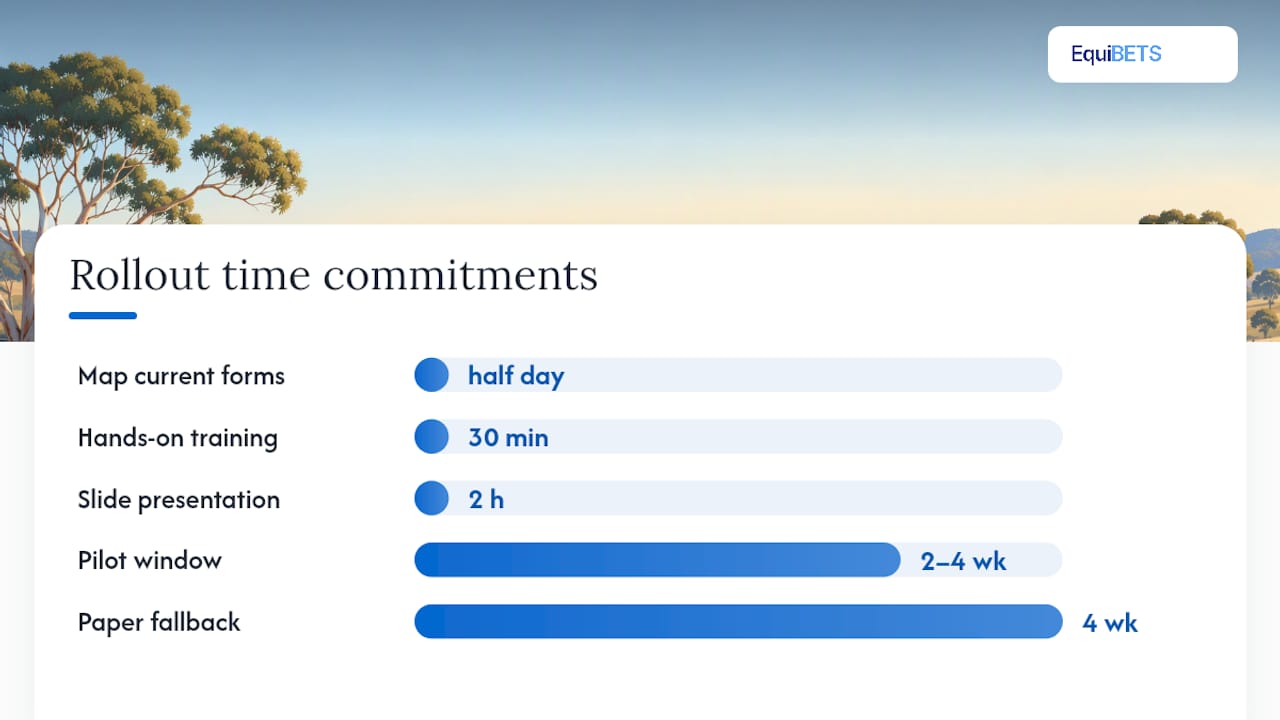
- Map your current forms. List every paper form in use, who fills it, how often, and which fields are mandatory for compliance or owner reporting. This takes half a day and prevents scope creep during the pilot.
- Design the pilot. Choose one or two high-value forms (medication log and daily inspection are good starting points) and one barn or crew. Define your pilot metrics upfront: data completeness, time per form, errors reduced, and owner satisfaction. Set a 2–4 week window.
- Assign a change manager. This person is not the IT contact — they are the lead yard user who reinforces accuracy, answers questions on the ground, and shares daily summary reports with staff to show the system working.
- Run short, hands-on training sessions. Thirty minutes with real devices and real forms beats a two-hour slide presentation. Provide quick-reference cards and use in-app templates where available.
- Verify sync logs and collect feedback. After the first week, review sync logs for failures, resolve any conflicts, and ask staff what slowed them down. Fix those friction points before scaling.
- Demonstrate value to owners and management. A single owner report generated automatically from the pilot data is more persuasive than any internal metric.
- Roll out in waves. Add one barn or crew at a time. Maintain a simple paper fallback and a clear procedure for device loss or failed sync — staff need to know what to do when things go wrong.
Pro Tip: Keep the paper fallback for the first four weeks, not as a permanent parallel system, but as a safety net that removes the fear of "what if it breaks." Once staff trust the sync, paper use drops naturally.
Which devices and settings work best in Australian yards?
Tablets suit form-heavy workflows like morning rounds and vet calls where you need to see a horse's full history. Phones are better for quick gate checks and staff who need both hands free. The choice matters less than the preparation.
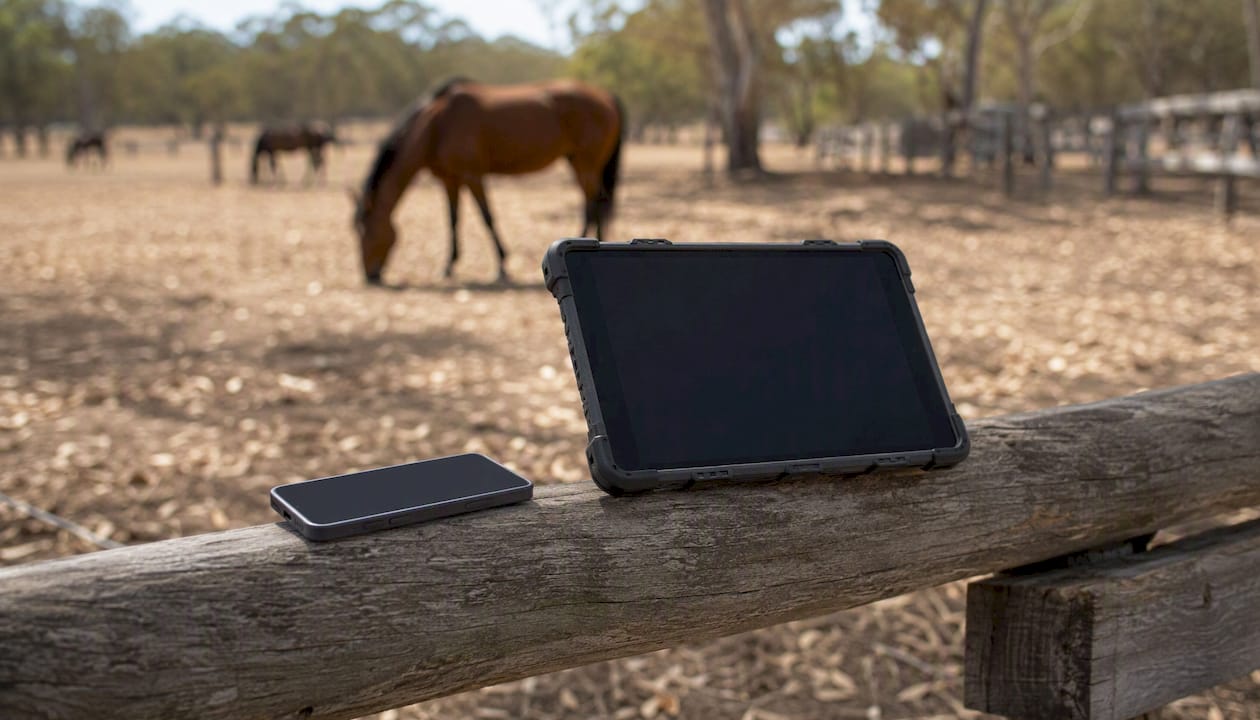
Australian yard conditions are hard on hardware. Pilot trials in livestock management reported dust ingress into tablet cases, Bluetooth delays between devices and scales, and screen readability problems in direct sunlight — all of which interrupted data capture at critical moments.
Practical device and configuration checklist:
- Rugged cases and screen protectors rated for dust and moisture; IP54 or better for dusty yards.
- High-brightness screens (500 nits or above) for outdoor readability; outdoor-optimised interfaces with large tap targets and simplified entry for gloved hands make a real difference.
- Sufficient local storage for photo-heavy workflows; 64GB minimum, 128GB preferred for yards that capture video.
- Spare batteries or power banks for long days; a device that dies at 2 PM in a remote paddock is useless.
- Pre-departure sync habit: sync fully before leaving the yard hub each morning so the local dataset is current.
- Scheduled nightly bulk sync over WiFi at the yard hub to transfer large media files without consuming mobile data.
- Bluetooth peripherals (EID readers, barcode scanners): test range and reliability in your specific environment before committing — metal infrastructure and dust affect Bluetooth more than most vendors acknowledge.
Data security, compliance, and sharing records in Australian yards
Data ownership is the first question to ask any vendor: confirm in writing that your yard owns its records and can export them in full at any time. Role-based permissions should limit what owners, trainers, and vets can see to their authorised records only.
Key requirements for Australian yards:
- Immutable audit trail with device ID, user ID, and timestamp on every entry — non-negotiable for incident reports and biosecurity tracing.
- Encrypted cloud backups with a defined retention policy; local backups as a secondary layer.
- PDF exports and owner portals that include image and GPS metadata where required.
- Secure vet access for emergency situations, with time-limited or role-scoped permissions.
A Senate committee examining a national horse register highlighted the value of lifetime traceability records and mobile upload capability for horse welfare and biosecurity. That framing is useful when talking to your insurer or state agriculture department about what your record-keeping system needs to demonstrate.
For high-risk operations — biosecurity incidents, notifiable disease events, or insurance claims — your audit trail is your evidence. A timestamped, user-stamped, immutable log of every medication administered and every movement recorded is far more defensible than a paper register that may have gaps or illegible entries.
How does Equibets handle offline forms for professional yards?
Equibets is built specifically for professional yards and maps directly to the technical checklist above. The platform provides offline mobile access with local storage, automatic background sync, photo and GPS attachments, and a full audit trail — the core requirements for reliable offline horse documentation in Australian conditions.
The Stable Manager module covers daily yard operations: horse records, medication and feeding logs, movement tracking, and team task management. Owner portals give clients real-time visibility into their horses' records without requiring yard staff to send manual updates. Emergency access for vets and first responders is built in, so critical information is available even when the primary yard manager is unreachable.
For a 2–4 week pilot, a typical Australian yard would start with medication logs and daily inspection forms on one barn, assign a lead user as change manager, and measure data completeness and time saved against the paper baseline. Equibets also supports AI nutrition analysis and GPS ride tracking, which extend the value of the platform well beyond the initial pilot scope.
Integration capability via API and webhooks means Equibets can connect to vet practice management or accounting systems as your yard's digital workflows mature.
Pro Tip: Use the owner portal as your pilot's "show-and-tell" moment. Generate one automated owner report from the first week's data and share it with two or three owners. Their positive response is the fastest way to secure management buy-in for a full rollout.
The cultural shift from paper to offline forms matters more than the technology
The yards that struggle with digital forms are almost never held back by the software. The friction is almost always human: staff who distrust the sync, managers who don't reinforce the new habit, and no one person accountable for making it work.
The evidence from Australian livestock management pilots is clear — a designated change manager who provides daily feedback, not just initial training, is the decisive factor in whether adoption sticks. That person doesn't need to be technically skilled. They need to care about accuracy, be present in the yard, and be willing to show colleagues what a completed digital record looks like and why it matters.
The quick win that builds momentum faster than anything else is the owner report. When a horse owner receives an automatically generated summary of their horse's week — medications, weight, movement — without the yard manager spending an hour on email, staff see the point immediately. The form stops feeling like extra admin and starts feeling like a service.
One practical note on Australian conditions: hardware resilience is not optional. A device that overheats, fills with dust, or runs flat by midday will kill adoption faster than any training gap. Budget for rugged cases and spare power before you budget for anything else.
Equibets offers a free trial and guided pilot for Australian yards
Professional yards that want to move from equine paper forms to a reliable offline-first workflow can trial Equibets without committing to a subscription. The platform includes every module — offline mobile access, Stable Manager, owner portals, GPS tracking, and AI analytics — under a single plan with no feature tiers to navigate.

The guided pilot option is designed for yards that want structured support: Equibets walks you through form mapping, device setup, and pilot metric tracking so the first four weeks produce a clear result rather than a learning curve. For yards evaluating the investment, the pricing and trial page shows exactly what is included. To go straight to the Stable Manager features and see how they map to your current paper forms, the Stable Manager module page is the right starting point. Book a demo or start a free trial directly from either page.
Sources
- Final report
- Mobile equine veterinary software | StableTrack
- Equinet project case study — Monterail
- Farrier app that works offline — FarrierIQ