

If you're managing more than a moderate number of horses, or two people need to edit the same file at once, stop patching spreadsheets and either rebuild them properly or trial a yard-management platform. The reason is simple: spreadsheets don't sync, don't scale, and don't stop someone overwriting last night's vet note. Start today by snapshotting your current sheets and testing a two-week import into a structured template or platform.
TL;DR:
- Small yards with fewer than 10 horses can effectively manage with rebuilt spreadsheet templates, but these lack audit trails and scalability.
- Migrating from spreadsheets requires careful snapshotting, column standardization, and incremental testing to avoid data loss and structural flaws.
- Automated exports, OCR document scanning, and API syncs enable more efficient data transfers, especially for race results and medical records.
- Managing more than 20 horses or multiple staff members makes full platform solutions essential to prevent conflicts and ensure data integrity.
- Transitioning should prioritize medical and race records first, with parallel systems run during migration, to prevent critical information from being missed or mismanaged.
Table of Contents
- Alternatives to spreadsheets: templates, apps and full platforms
- Practical templates: the exact column groups your sheets need
- Migration checklist: moving from spreadsheets to a structured system
- Import, export and simple syncing that actually works
- Signs your spreadsheets have become a liability
- How a modern platform fixes what spreadsheets can't
- A yard manager's checklist for making the switch
- Try EquiBETS free before your next migration
- Sources
Alternatives to spreadsheets: templates, apps and full platforms
Three genuinely different paths exist once you outgrow a single Excel file, and each one suits a different stage of yard.
Rebuilt spreadsheet templates are still spreadsheets, just properly structured with column dictionaries, unique horse IDs, and separate tabs for entries, training, and finance. They cost nothing, work offline, and suit a one or two person operation with under 10 horses where nobody else needs simultaneous access. The catch: they break the moment two people open the same file, and there's no audit trail when a number changes.
Lightweight tracking apps sit between a spreadsheet and full software. Good for a small team tracking form, tips, or basic care logs on a phone, but most weren't built for racing yards specifically. They tend to lack owner-facing reporting and proper finance reconciliation.
Full yard-management platforms handle multi-user permissions, offline mobile entry, owner communication, and financial tracking in one system. This is where the trade-off flips: more setup upfront, but it's the only category that scales past a handful of horses without someone eventually losing data to a corrupted file or a badly merged version.
- Under 10 horses, solo operator: a rebuilt template is fine, at least for now.
- 10 to 30 horses, small team: a lightweight app closes the gap, but watch for owner-reporting limits.
- 30+ horses, multiple staff, syndicate owners: a full platform is the only option that avoids double-entry and version conflicts.
Start with whichever category matches your current headcount, not your ambitions. Yards that jump straight to enterprise software before they need it often abandon it within weeks because nobody has time to learn a system built for a 100-horse operation.
Practical templates: the exact column groups your sheets need
Most spreadsheet chaos comes down to one problem: no consistent structure across tabs. Before you touch software, rebuild the columns properly. RacingFormBook's racing results spreadsheet is a solid reference for this, adding pre-race data and a proper column dictionary to standard CSV result files, which is exactly what most homemade sheets are missing.
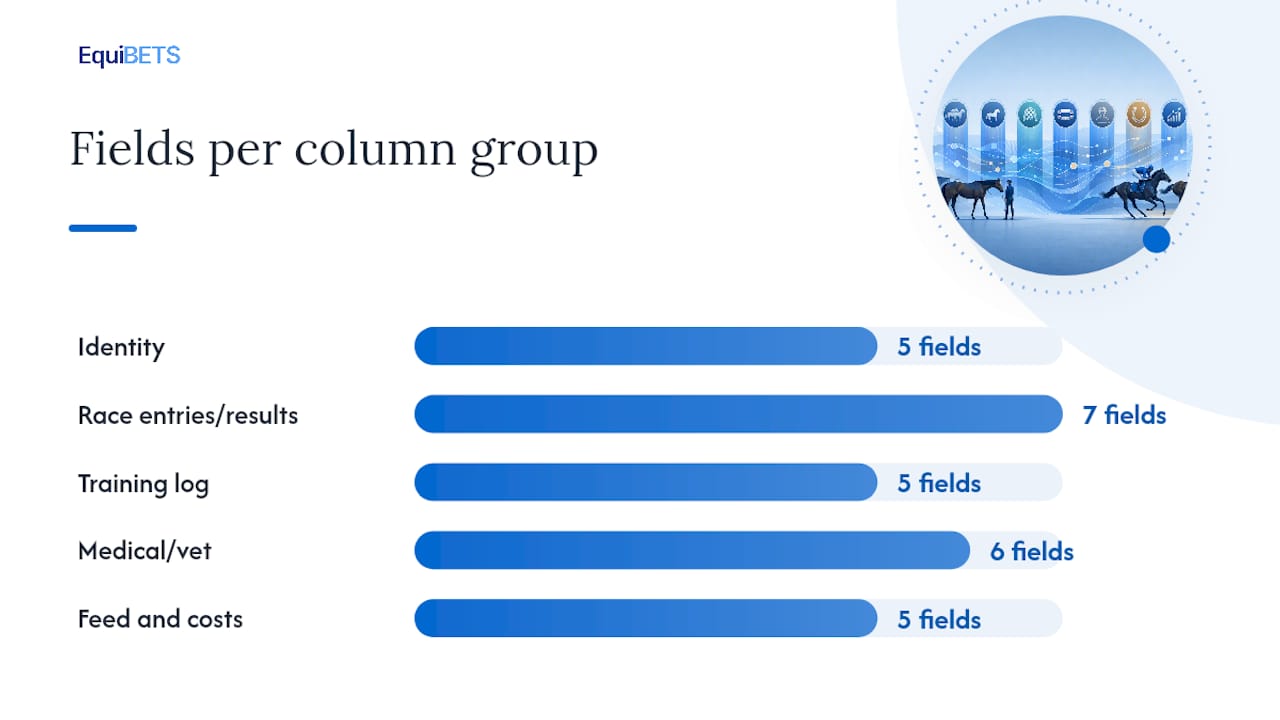
Seven column groups cover almost every racing yard's data needs:
- Identity: horse ID (unique, never reused), name, sire/dam, foaling date, microchip number.
- Race entries/results: race date, track, distance, finishing position, margin, jockey, prize money.
- Training log: session date, work type, distance, track condition, rider notes.
- Medical/vet: date, treatment type, vet name, medication, withholding period, next check due.
- Feed and costs: feed type, quantity, cost per week, farrier/vet invoices, agistment fees.
- Calendar: upcoming races, vet visits, farrier bookings, breeding dates.
- Owners/syndicate: owner name, ownership percentage, contact details, last update sent.
Every row needs a unique ID that ties back to the identity tab. This is the single most important structural fix. Without it, a horse named "Bella" in three different tabs becomes three different horses the moment someone edits the wrong row. Keep each group on its own tab, use consistent date formats throughout (ISO format, YYYY-MM-DD, avoids the ambiguity that trips up US-formatted dates), and build your sample CSV before you populate real data so the structure is locked in first.
Migration checklist: moving from spreadsheets to a structured system
Migrating badly is worse than not migrating at all. Follow this order and nothing gets lost mid-transition.
- Snapshot everything. Save a dated copy of every current sheet before touching anything. Version it clearly (e.g. "Horses_2026_02_pre_migration").
- Clean and normalise. Fix inconsistent date formats, standardise horse names, and assign unique IDs to every horse if they don't already exist.
- Map columns to targets. Match each spreadsheet column to its equivalent field in the new template or platform, then import a small batch first.
- Validate the import. Spot-check at least 10% of records against the original sheet for accuracy.
- Run a pilot. Test with one or two staff for two weeks, fix issues, then roll out with proper permissions and a documented rollback plan.
Pro Tip: Keep the old spreadsheets read-only and accessible for a couple of months after switching over. Migrations almost always surface a missing field nobody noticed until week three.
Import, export and simple syncing that actually works
CSV is the safer default for moving data between systems. XLSX preserves formatting but tends to mangle leading zeros in ID numbers and can silently reformat dates when opened on a different regional setting. Always check both after any transfer.
Three automation categories cut manual entry significantly:
- Scheduled exports push race results or financial summaries out on a timer, so nobody's manually copying figures weekly.
- OCR document scanning extracts registration, Coggins, and vet records straight from photos or PDFs. HorseBook and similar apps use this to turn a stack of paperwork into structured records without retyping.
- API syncs and email-to-sheet workflows catch race results or invoices automatically as they're published.
Barn-side, offline capture matters more than most yards plan for. If your team is recording feed or medical notes on paper because the shed has no signal, that data has a habit of never making it into the system at all.
Signs your spreadsheets have become a liability
A few thresholds signal it's time to stop patching and start replacing. Managing many horses, frequent daily edits, or multiple people editing concurrently will cause version conflicts to become inevitable rather than occasional.
The real damage isn't the spreadsheet itself, it's what slips through the cracks: a missed vet follow-up because the reminder lived in someone's head, an invoice that doesn't match what an owner was actually charged, an update to an owner that arrives three days late because nobody had time to compile it manually.
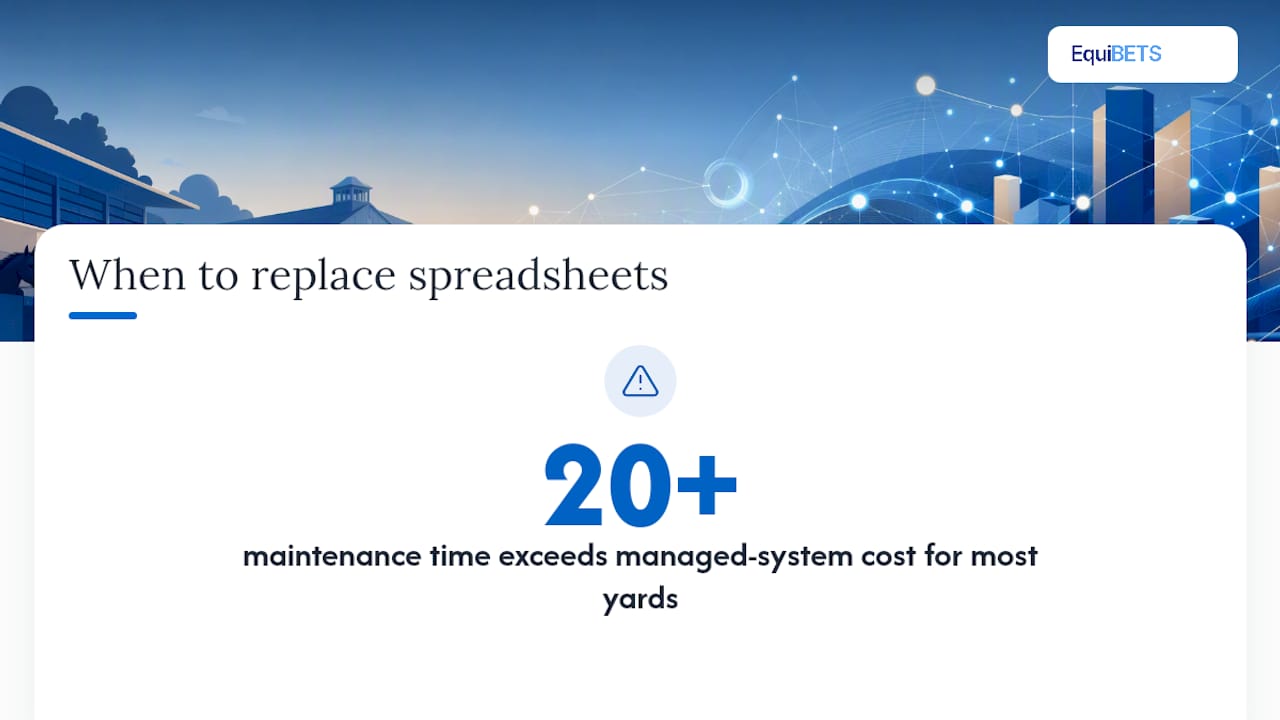
Run a rough cost comparison before deciding. Add up the hours per week your team spends maintaining, reconciling, and chasing corrections across sheets, then weigh that against a subscription cost and a short transition period. For most yards past the 20 horse mark, the maintenance time alone outweighs what a managed system costs monthly, well before you factor in the cost of a missed treatment or a syndicate dispute over unclear records.
How a modern platform fixes what spreadsheets can't
A platform built for yards addresses each spreadsheet failure directly: multi-user permissions stop overwrite conflicts, offline mobile entry solves the barn-signal problem, owner portals replace manual update emails, and finance tracking reconciles invoices automatically. EquiBETS adds GPS ride tracking and AI-powered movement analysis on top, giving trainers data spreadsheets never captured. Run a two-week trial importing medical logs, training entries, and one owner report cycle before deciding.
A yard manager's checklist for making the switch
Migrating a yard off spreadsheets is less about the software and more about sequencing. Get the order wrong and you'll spend months reconciling two systems that disagree with each other.
Start with medical and competition records, not finance. A missed withholding period or a wrong race entry causes real damage fast; a slightly late invoice doesn't. Once those are solid, bring finance across. Run both systems in parallel for a few weeks minimum. Anyone who tells you a weekend cutover works has never managed 25 horses and a syndicate of owners who all want their own update.
Talk to your staff and owners before you flip the switch, not after. Write down the new workflow somewhere everyone can find it, because "ask Sarah how it works" isn't documentation, and Sarah eventually takes leave.
— isaac
Try EquiBETS free before your next migration
This platform replaces the common gaps spreadsheets leave open, such as offline mobile access for barn-side entry, portals that handle updates automatically, finance tracking that reconciles invoices without manual cross-checking, and AI-powered movement analysis for insights no spreadsheet column could calculate. Yards juggling multiple staff and syndicate owners get one workspace instead of six disconnected files.

If your team is still emailing spreadsheets back and forth, start a free trial through the Stable Manager product page and import one horse's full record set as your test case. See how the owner communication system handles a real update cycle before deciding whether to migrate the rest of your yard.
Sources
For a ready-made results template with a full column dictionary, RacingFormBook's racing results spreadsheet is a solid starting point. StatFreaks runs a step-by-step tutorial for tracking tips and calculating ROI in a spreadsheet. If tip tracking becomes a habit worth checking in on, Gambling Help Online offers support. For barn-side capture, see EquiBETS's guide to offline horse forms.