
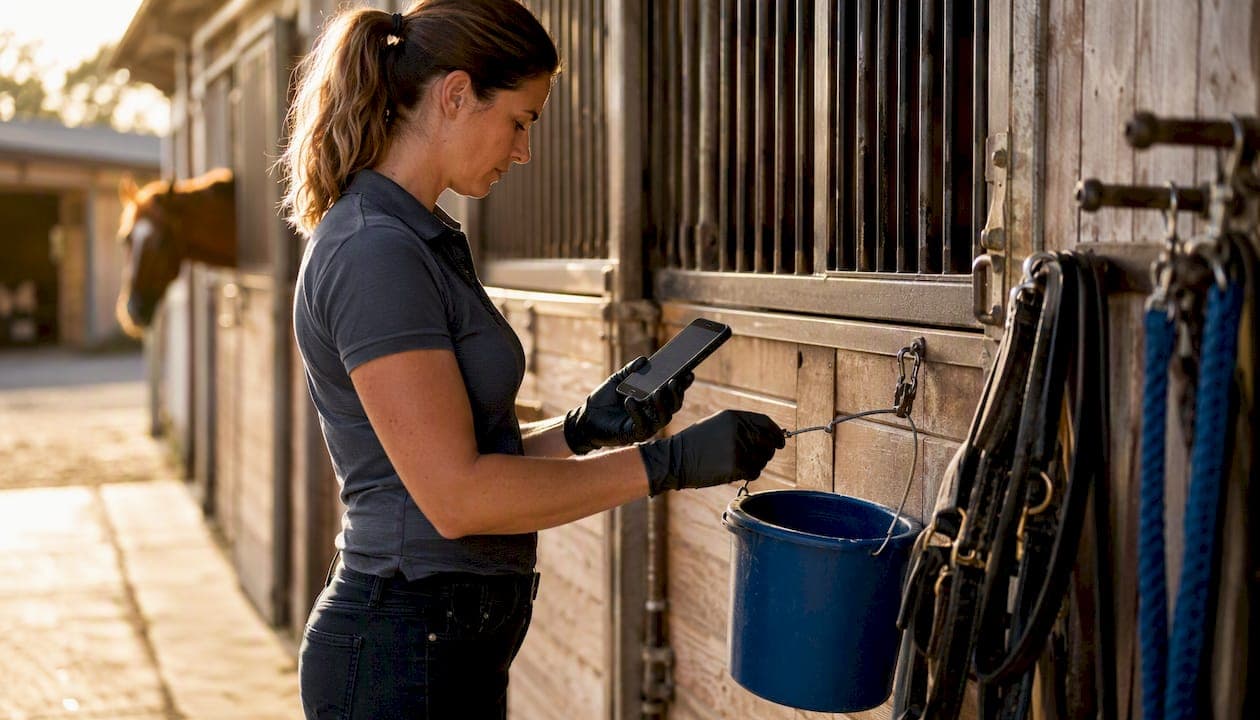
A single owner portal, a small set of repeatable templates, and a clear 0–90-day rollout is the fastest path to reliable owner communication for any professional yard. Set up a read-only portal for one pilot owner this week and send your first templated daily update before Friday. That single action cuts inbound calls faster than any other change you can make.
Centralised horse records mean vets, trainers, and owners pull from the same source rather than chasing each other by phone. Billing becomes visible without a conversation. Emergency plans are accessible when seconds matter. The result is less admin noise for your team and measurably higher owner trust.
Key takeaways
A single owner portal with templated daily updates, integrated billing, and a completed emergency plan is the foundation every professional yard needs for consistent, trust-building owner communication.
| Point | Details |
|---|---|
| Start with the daily template | Send templated daily updates for five days before migrating historical records or configuring advanced settings. |
| Enable the owner portal first | A read-only portal for one to five pilot owners cuts inbound calls faster than any other single change. |
| Integrate billing from day one | Invoices and payment links inside the portal remove the most common source of owner friction. |
| Complete every emergency plan | Standardised fields covering medications, microchip, vet, and insurance must be current and accessible without a login. |
| Equibets covers the full system | Owner portals, offline mobile, finance tracking, and emergency plans are included in one plan with a free trial. |
Table of Contents
- What do horse owners actually expect from your yard?
- Core components every owner communication system must include
- Practical workflows and templates you can use today
- How to evaluate and choose software for owner communication
- Step-by-step implementation plan: 0–90 days
- KPIs and governance: how do you know it's working?
- Sample SOPs and message examples for your team
- How Equibets meets these needs
- The mistake most yards make in the first month
- Ready to put this system in place?
- Useful sources and further reading
What do horse owners actually expect from your yard?
Owners are not asking for much, but they are asking consistently. Get these five things right and the relationship largely looks after itself.
- Condition and care status. A short daily note covering appetite, turnout, and any training completed. Two timestamped photos carry more weight than a paragraph of text.
- Billing transparency. Owners want to see invoices, payment status, and a named contact for queries without having to ask. Surprises on a bill erode trust faster than almost anything else.
- Emergency access. Allergies, current medications, microchip number, vet contact, and insurance details should be readable by any responder without a login barrier. Owners expect this to exist and to be current.
- Predictable cadence. Daily brief, weekly summary, event-specific update. When the schedule is known, owners stop sending "just checking in" messages.
- Controlled permissions. Owners want read-only access to their horse's record. They do not want their data visible to other owners, and they expect you to manage who else (vets, riders) can see it.
Core components every owner communication system must include
The gap between a yard that owners rave about and one they quietly leave usually comes down to whether these components exist as a system rather than a collection of ad hoc habits.
Owner portal: one source of truth per horse
Every horse needs a single digital record that the owner can view without calling the yard. That record holds health history, photos, appointment notes, and training logs. When a vet rings at 7 PM asking about a horse's medication history, the answer should take ten seconds, not twenty minutes.
The stable manager feature set in Equibets delivers exactly this: owner portals with real-time updates, finance tracking, and emergency plans in one place.
Real-time updates and training logs
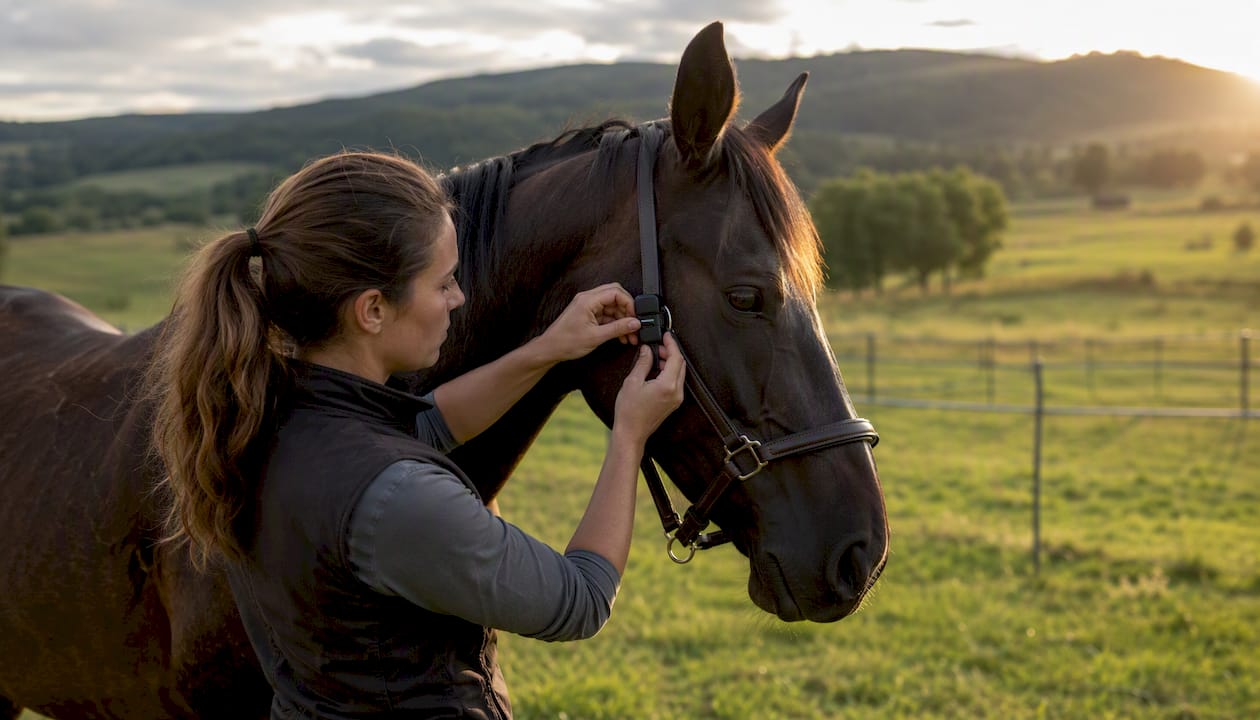
Updates need a timestamp and an attachment option. A ride log without a GPS trace or a health flag without a photo is harder for an owner to interpret and harder for your team to defend if a dispute arises. GPS ride tracking and nutrition analysis feed directly into horse records in Equibets, so the data that matters to owners is already captured before anyone writes a word.
Billing and payment tracking
Invoices should live inside the same system as the horse record, not in a separate email thread. Payment links, due dates, and outstanding balances visible to the owner in their portal remove the most common source of friction between yards and clients.
Emergency plan module
A standardised emergency plan needs fixed fields: vaccinations, current medications, microchip number, primary vet, insurance policy number, preferred emergency contact, and a consent flag for treatment decisions. It must be exportable or shareable with a responder who has no system login.
Permissions and access levels
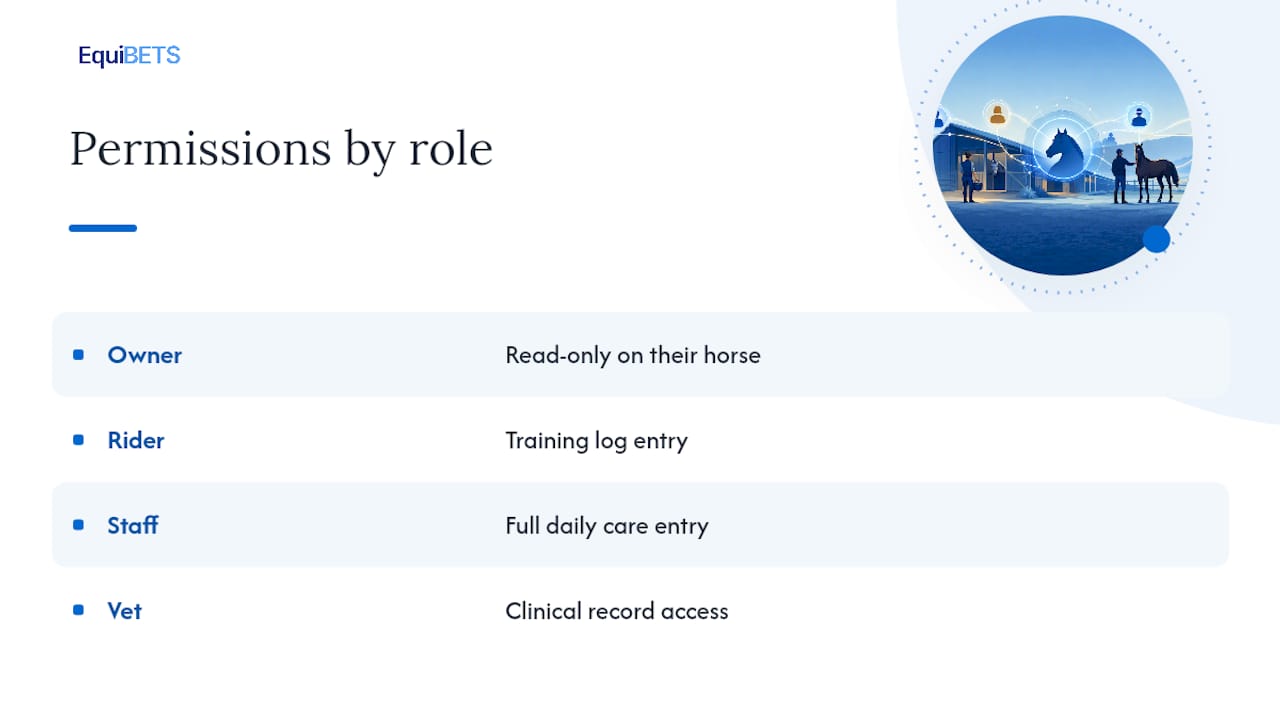
A minimum of four roles covers most yards: owner (read-only on their horse), rider (training log entry), staff (full daily care entry), and vet (clinical record access). Mixing these up, or giving owners write access, creates data integrity problems quickly.
Offline mobile access
Yards with patchy signal are the norm, not the exception. Any system that requires a live connection to log a feed, record a health observation, or pull up an emergency plan is a liability. Offline sync that queues entries and pushes them when signal returns is non-negotiable for field use.
Pro Tip: Test your chosen platform's offline mode by switching your phone to aeroplane mode and completing a full daily update. If the entry saves and syncs cleanly when you reconnect, the offline behaviour is genuine. If it errors or loses data, keep looking.
| Component | Minimum viable feature | Why it matters |
|---|---|---|
| Owner portal | Read-only horse record with photo and log access | Reduces inbound owner calls |
| Real-time updates | Timestamped entries with photo attachment | Creates auditable care record |
| Billing integration | Invoice generation, payment link, status tracking | Removes billing disputes |
| Emergency plan | Standardised fields, shareable without login | Speeds vet/responder decisions |
| Role permissions | Owner, rider, staff, vet access levels | Protects data integrity |
| Offline sync | Queue-and-push behaviour with no data loss | Covers yards with poor signal |
| Custom notifications | Health alerts, missed feeds, competition entries | Keeps owners informed proactively |
Practical workflows and templates you can use today
Consistency beats quality in owner communication. A short, predictable update sent every day is worth more than a detailed one sent whenever someone remembers.
- Daily report template. One paragraph (three to five sentences): condition, appetite, turnout or training completed, any actions required. Two photos minimum. Key vitals if health monitoring is active. Composed by the groom or rider, reviewed by the head trainer if a flag is raised.
- Weekly summary template. Training outcomes for the week, upcoming plans for the next seven days, a link to any new invoices, and one item of interest (competition result, farrier visit, feed change). Composed by the head trainer or yard manager, sent Friday afternoon.
- Emergency plan fields. Vaccination dates, current medications and doses, microchip number, primary vet name and after-hours number, insurance provider and policy number, preferred emergency contact, and a signed consent flag for treatment decisions in the owner's absence.
- Invoice template. Line items with dates, unit cost and quantity, total due, payment due date, payment link, and a named contact for queries. No jargon. No assumptions that the owner remembers what was agreed verbally.
- Role assignments. Groom composes the daily update by 9 AM. Rider adds training notes by midday. Head trainer reviews any health flags within two hours and escalates to the vet if needed. Admin sends invoices on the first of the month and follows up on overdue payments at day seven and day fourteen.
- Escalation workflow. Health flag raised in the daily update → head trainer notified within two hours → vet contacted if unresolved → owner notified with a brief factual note (not a diagnosis) → follow-up note added to the horse record within 24 hours of resolution.
For event updates, partner resources such as horse event news and highlights can be linked directly in weekly summaries to give owners context on upcoming competitions without your team writing original content.
How to evaluate and choose software for owner communication
Run every vendor through this checklist before committing to a pilot.
Evaluation checklist: owner portal with read-only access, offline sync with queue-and-push behaviour, role-based permissions, billing integration with payment links, emergency plan export, and API or accounting software integration.
Demo questions to ask: Show me an owner logging in for the first time. Walk me through your 0–90-day onboarding process. What happens to data entered offline when signal returns? Show me an invoice being generated and a payment being recorded. How do I revoke access for a staff member who leaves?
Pilot scope. Four weeks, one to five owners, one staff member per role. Success criteria: zero missed daily updates, at least one invoice paid through the portal, and at least one emergency plan completed and reviewed by the owner.
Pro Tip: Ask the vendor to show you what happens when a staff member enters a health observation offline and then the device is lost before it syncs. The answer tells you everything about how seriously they have thought about real yard conditions.
Cost model. Equibets runs on a single-plan subscription covering all features and unlimited horses and team members, with a free trial before any payment is required. That structure removes the per-horse pricing trap that makes costs unpredictable as a yard grows.
Step-by-step implementation plan: 0–90 days
- Days 0–30: pilot setup. Enable the owner portal for one to five owners. Migrate core horse records (health history, vaccination dates, emergency contacts). Train frontline staff on daily update entry and photo upload. Send the first templated daily update within the first week.
- Days 30–60: full rollout. Invite all owners to the portal. Implement the invoice flow and send the first portal-based invoice. Resolve any offline sync edge cases identified during the pilot. Confirm role permissions for every staff member.
- Days 60–90: optimise. Configure notification rules for health alerts and missed feeds. Integrate with accounting software if required. Run a 90-day engagement review: check portal login rates, invoice payment rates, and owner feedback.
Data migration checklist: horse records, vaccination history, farrier and vet appointment logs, existing photos, and emergency plan details for every horse. Owner communication plan during rollout: send a brief note explaining what the portal is, what they will receive, and who to contact if they have trouble logging in.
KPIs and governance: how do you know it's working?
Track these four metrics from day one. Review them quarterly.
| KPI | What to measure | Target |
|---|---|---|
| Owner portal engagement | Unique owner logins per month | Every active owner logs in at least once |
| Response time | Time from owner enquiry to staff reply | Under four hours during business hours |
| Invoice payment rate | Percentage of invoices paid by due date | Within 90 days of issue |
| Incident escalation time | Time from health flag to vet notification | Under two hours for any flagged observation |
Quarterly review agenda: data quality audit (are emergency plans current?), permission review (any former staff still with access?), emergency plan test (can a responder access it without a login?), and a brief owner satisfaction check.
On data ownership: horse records belong to the yard and the owner jointly. Confirm with your chosen platform that you can export all data in a standard format and that access can be revoked immediately when a horse leaves the yard.
Sample SOPs and message examples for your team
Daily update SOP. Composed by the assigned groom by 9 AM. Maximum 100 words. Two photos required (one of the horse, one of the stable or turnout area). Required fields: condition, appetite, turnout completed, training completed, actions required. No medical interpretation. If a health concern is noted, flag it to the head trainer immediately rather than including a diagnosis in the owner message.
Short daily update example: "Bella had a good morning. She finished her full feed and was turned out from 7–10 AM with no issues. Schooling session completed at 11 AM, 35 minutes, walk/trot/canter work. No concerns. Photos attached."
Weekly performance summary example: "This week Bella completed four schooling sessions with consistent improvement in her canter transitions. Farrier visit scheduled for Tuesday. Invoice for June board and farrier has been added to your portal. Next week: light work Monday and Tuesday ahead of the Saturday show."
Late-fee invoice reminder example: "Hi [Owner name], a reminder that invoice #[number] for [amount] was due on [date]. You can pay directly through your owner portal using the link below. Please contact [name] at [email] if you have any questions."
Emergency notification for a vet: "Horse: [Name]. Owner: [Name], [phone]. Primary vet: [Name], [phone]. Current medications: [list]. Allergies: [list]. Microchip: [number]. Insurance: [provider, policy number]. Owner consent for emergency treatment: Yes/No. Emergency contact if owner unreachable: [name, phone]."
Audit log entry after a health incident: Date, time, observation, staff member who noted it, action taken, vet contacted (yes/no, name, time), outcome, follow-up date. Signed off by the head trainer.
Staff training note: Keep updates factual, not diagnostic. Use the template. Send on time. If you are unsure whether something is a health concern, flag it to the head trainer rather than deciding alone. Never use the owner portal to share information about another owner's horse.
How Equibets meets these needs
Equibets is built specifically for professional yards, with AI-powered movement analysis and offline mobile access as core features rather than add-ons.
- Owner portal. Read-only owner views with real-time updates, timestamped entries, and photo attachments. Owners see their horse's record without any ability to edit yard data.
- Offline mobile app. Entries made without signal queue locally and sync automatically when connection returns. No data loss, no manual re-entry.
- Finance tracking. Invoice generation, payment links, and payment status tracking integrated with horse records. Owners see their billing history in the same portal as their horse's care record.
- Emergency plan module. Standardised fields covering vaccinations, medications, microchip, vet contacts, insurance, and consent flags. Shareable with responders without requiring a system login.
- Permissions and role management. Owner, rider, staff, and vet access levels configurable per horse and per user.
- GPS ride tracking and nutrition analysis. Ride data and feed plans feed directly into horse records, giving owners visibility into training and care that most yards cannot provide without significant manual effort.
- Onboarding and support. A free trial covers the full feature set before any subscription commitment. Data import pathways are available for existing records. Staff training is supported through the onboarding process, and demo availability means your team can see the platform in action before committing.
- Single-plan pricing. One subscription covers unlimited horses and team members, removing the per-horse cost uncertainty that affects scaling yards.
Syndicate administrators benefit from the same permission structure, with the ability to give multiple owners read-only access to a single horse record without exposing other horses or other owners' data.
The mistake most yards make in the first month
The most common early mistake is trying to migrate everything before sending a single update. Yards spend three weeks importing historical records, configuring every permission, and debating photo standards, and then wonder why owner engagement is low. Owners do not care about historical data on day one. They care about today's update.
Start with the daily template. Send it for five consecutive days before touching anything else. Once owners are logging in to read updates, they will naturally explore the rest of the portal. That pull is far more effective than a launch email explaining every feature.
Keep updates short. Owners read them on their phones between meetings. If a daily update takes more than 45 seconds to read, it is too long.
Ready to put this system in place?
Yards that move from ad hoc messaging to a structured portal typically see owner enquiries drop within the first fortnight, not because owners are less engaged but because the portal answers the questions before they are asked. Invoices get paid faster when owners can see them without requesting a copy. Emergency plans get completed when there is a module prompting the fields rather than a blank document sitting in a folder.

Equibets gives you the owner portal, offline mobile app, finance tracking, and emergency plan module described throughout this article, all on a single plan with a free trial before you pay anything. Start the trial, enable the portal for one owner, and send your first templated update this week. If you want to see the platform before committing, a demo is available through the Equibets platform page.
Useful sources and further reading
- Stable manager features: owner portals, finance and emergency plans — detailed feature page for the core components covered in this article.
- Equestrian lifestyle and horse care resources — partner content for event schedules and horse care items suitable for owner newsletters.
- Arena surface quotes for facility upgrade communications — partner resource for yards communicating planned surface works to owners.