
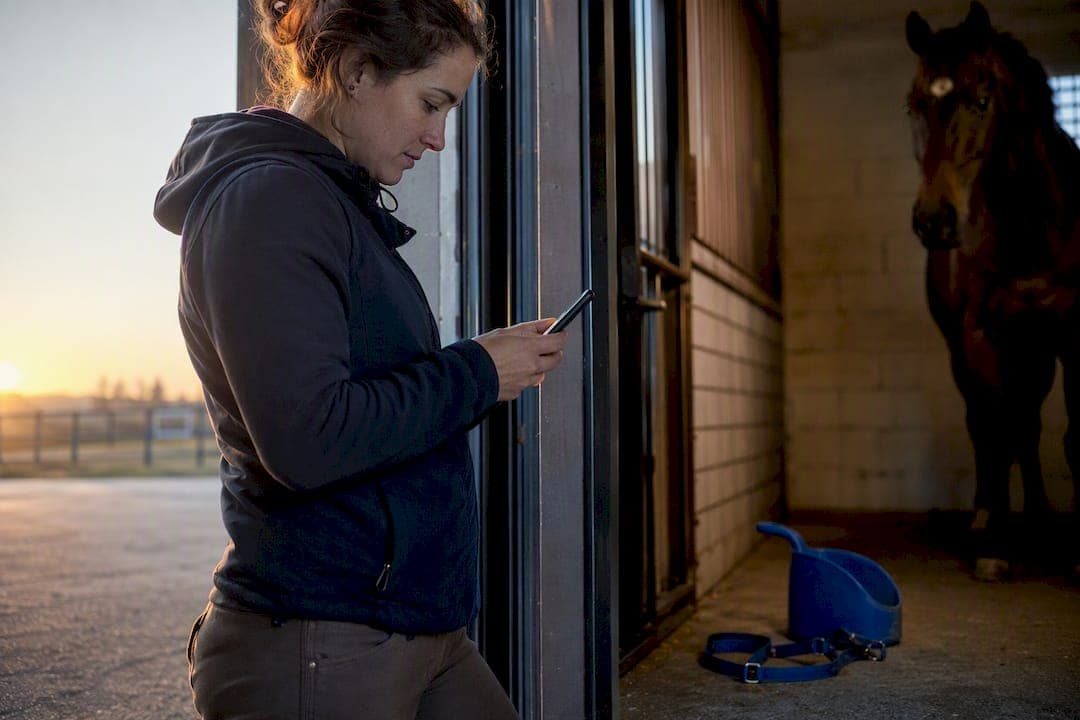
Offline horse management means keeping every critical record, medical log, and care schedule accessible on a device with zero internet connection, and being able to update those records on the spot. It suits professional yards with patchy paddock or arena signal, visiting vets working between properties, and remote owners who can't rely on a stable connection. The core benefit is simple: nobody's stuck waiting for a bar of signal to check a medication dose.
TL;DR:
- Offline horse management apps must prioritize core data including horse profiles, medical logs, and care schedules, which remain accessible without signal.
- Preparing devices involves downloading necessary media, checking storage, charging, backing up data, and completing a pre-sync routine the night before.
- Daily workflows should focus on structured entries, timestamping, and flagging issues immediately to ensure accurate records during offline use.
- Medical records require immediate local access with printable summaries and an audit trail for offline edits to avoid critical information gaps.
- On-device AI can handle simple tasks like note summarization or gait checks, but advanced analytics and large media backups still require synchronization once back online.
Table of Contents
- What offline access covers: the horse data you can rely on when disconnected
- Preparing devices and data for offline use: a pre-sync checklist
- Daily field workflows and best practices when offline
- Managing medical records and emergencies without internet
- On-device AI, privacy and when cloud sync is required
- Publisher perspective: why offline design isn't an afterthought
- Try Equibets for offline-ready yard management
- Sources
What offline access covers: the horse data you can rely on when disconnected
Not every piece of data behaves the same way once you lose signal. A well-built offline stable app draws a clear line between what lives permanently on the device and what needs a sync window to refresh.
The reliable core, the stuff you should expect to reach with zero bars, includes:
- Per-horse profiles: age, breed, identifying markings, ownership details
- Medical logs: medications, vaccination history, allergies, vet notes
- Care schedules: farrier visits, worming rotations, feed adjustments
- Ride logs and training notes, including owner comments and instructor feedback
Media is where things get trickier. Photos and short video clips cache fine if you've downloaded them ahead of time, but large video archives or years of historical media chew through storage fast. GPS-based ride tracking also has a caveat: routes usually record fine offline, but the map tiles underneath them may not render until you're back in range. Prioritise recent records and anything tied to an active health issue. Leave the five-year-old vaccination archive for when you're synced.
Preparing devices and data for offline use: a pre-sync checklist
Going offline without preparing first is how yards end up with a blank screen at the worst possible moment. A basic pre-flight routine, similar to what most offline horse forms guides recommend, solves most of that risk before it starts.
- Select the horses you need. Don't sync the whole yard if you're only visiting three paddocks.
- Download attachments manually. Confirm photos, scanned certificates, and PDFs have actually pulled through, not just the text records.
- Check device storage. On-device AI models and cached media both eat space fast, and a full phone will silently refuse new downloads.
- Charge properly and pack a charger or power bank. Obvious, but it's the single most common reason offline trips get cut short.
- Set local reminders and confirm calendar entries synced before you left range.
- Export emergency PDFs for any horse with an active condition or upcoming procedure.
- Back up locally, either through an encrypted device backup or a manual export to USB or SD card, in case the device itself fails mid visit.
Pro Tip: Run your pre-sync checklist the night before, not the morning of. Overnight gives your device time to finish downloading media over Wi-Fi instead of chewing through mobile data at the gate.
Storage limits matter more than most people expect. Local AI apps and offline logging tools alike warn that larger models and media libraries need real device RAM, so a five-year-old phone with 32GB might genuinely struggle where a newer device won't.
Daily field workflows and best practices when offline
Good offline workflows aren't really about the technology. They're about discipline: who records what, when, and in what format, so nothing gets duplicated or lost once you're back online.
A workable daily pattern looks like this:
- Morning handover: whoever starts the shift checks overnight notes and confirms the day's task list before touching a horse.
- Structured entries, not free text dumps: timestamp every entry, tag the horse and category (feed, meds, exercise, incident), and keep a minimum set of required fields so nothing critical gets skipped under pressure.
- One recorder per event. Two people logging the same treatment from memory later is exactly how conflicting records happen.
- Flag anything unusual immediately, even a one-line note, rather than waiting to "write it up properly" later.
A mobile vet visit is a good test case for this. Triage happens first: temperature, gait, obvious distress signs, logged as short structured notes rather than paragraphs. Photos get taken and tagged to the horse and date. The owner update, if the owner isn't present, gets drafted as a note for the owner portal to push out once the device reconnects. None of that depends on a signal bar, and all of it reconciles cleanly once it does.
Managing medical records and emergencies without internet
Medical data is the one category where "good enough" isn't good enough. Meds, allergies, chronic conditions, and the last few days of observations need to be genuinely local, not cached-and-hopeful.
The most practical safeguard is a one-page emergency summary per horse: medications, allergies, recent alerts, and an owner contact, built to be printed, shown as a PDF, or scanned via QR code on arrival. A vet who's never met the horse before shouldn't need to dig through a full history to find out it's allergic to penicillin.
Offline edits also need an audit trail, even a basic one:
- Who made the entry
- When it was made
- A flag marking it as an offline edit, pending sync
That third point matters more than it sounds. A minimal edit protocol like this prevents the classic sync conflict where two people edited the same field from two devices and nobody can tell which version is current.
Chronic conditions benefit most from this consistency. Laminitis, for instance, is notoriously easy to miss in its early stages, and symptom diaries kept consistently tend to catch pattern changes days before they'd otherwise be flagged. A gap in the diary is often the first sign something's being missed, not just an admin lapse.
On-device AI, privacy and when cloud sync is required
Some AI tasks genuinely work fine offline. Others don't, and knowing the difference saves you from expecting more than the device can deliver.
What tends to work locally:
- Summarising long vet notes into a short brief
- Basic gait or movement checks against a stored baseline
- Voice-to-text transcription of field notes, using local models rather than a cloud service
What still needs a sync window:
- Cross-horse analytics or yard-wide trend reporting
- Large media backups
- Team-wide reporting that pulls from multiple devices at once
Local models running on-device, similar to how private AI apps handle offline transcription, keep sensitive medical and financial data off external servers entirely, which matters if you're handling client horses under any kind of confidentiality expectation. The trade-off is device performance: larger models need real RAM and processing power, so a flagship phone handles this comfortably while an older device may need a leaner model or a shorter offline window.
Publisher perspective: why offline design isn't an afterthought
Most platforms treat offline mode as damage control for dead zones. Equibets built it the other way around: assume the paddock has no signal, then design for that first. The offline mobile app, owner portals, and emergency plans exist because yards told us connectivity gaps aren't rare edge cases, they're Tuesday. A vet arriving to an unfamiliar horse shouldn't need a Wi-Fi password before they can see its allergy history.
— isaac
Try Equibets for offline-ready yard management
Most stable software treats offline mode as a fallback. Some platforms treat it as the default, which means you're not stuck refreshing a spinner in a dead zone while a horse needs attention now.

What you actually get can include offline access to horse records and medication logs, an owner portal that queues updates until you're back in range, GPS ride tracking that doesn't depend on live signal, and a one-page emergency plan any vet or responder can pull up instantly. It's built around a field-first logic: sync before you leave range, work uninterrupted while you're out, reconcile cleanly when you're back.
If your yard is still juggling paper logbooks or an app that stalls the moment the bars drop, it's worth seeing how the Equibets platform handles it differently. Visit the provider's website to learn more and explore available trial options before deciding.